How do you begin?
Open Idle Breakout by Kodiqi and use the game area near the top. The page also offers downloads, but the browser game does not require that download button. Our desktop session entered the game without a login or payment.
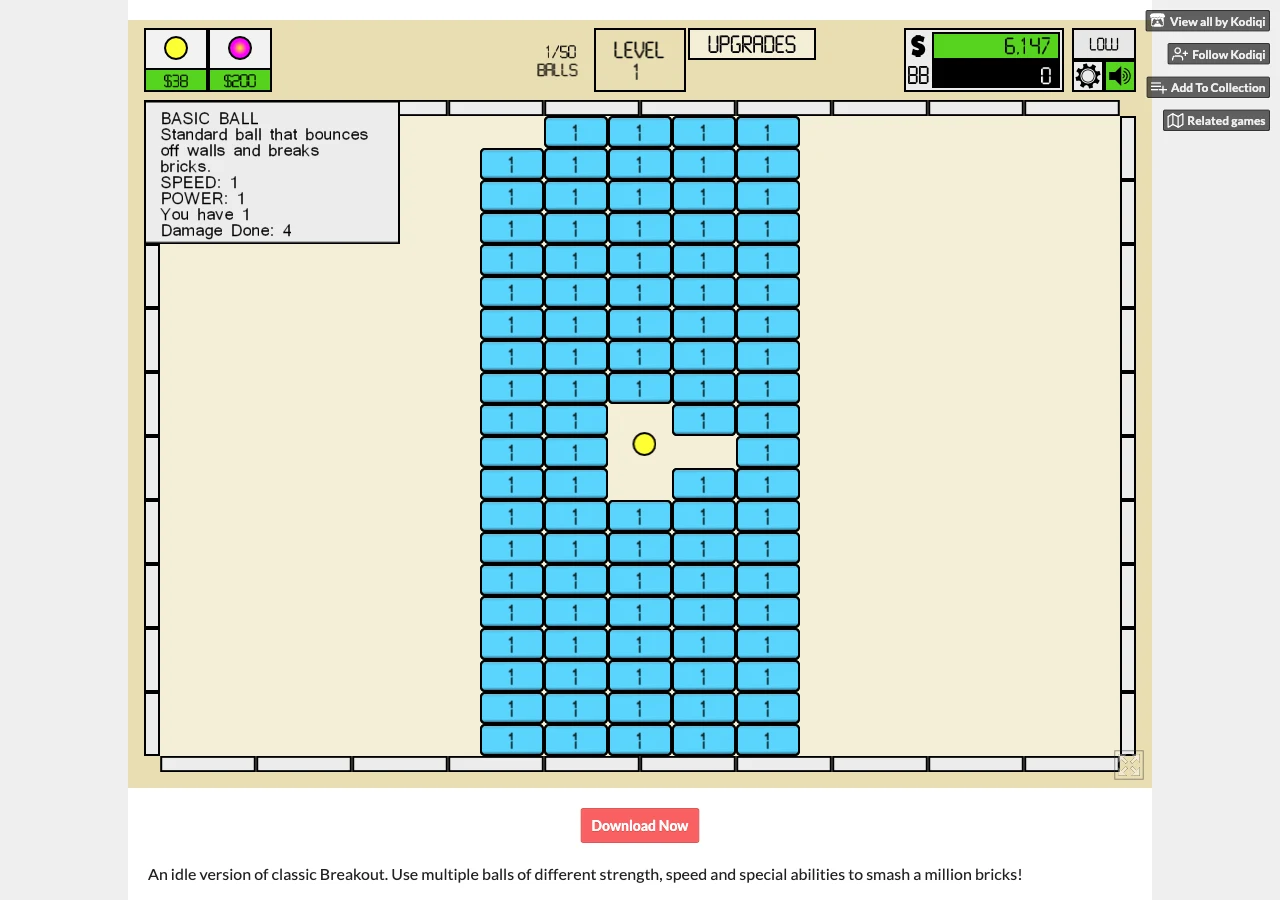
- Click a brick. On the observed Level 1 board, each blue brick displayed 1. One click removed the chosen brick and increased the money balance.
- Buy a Basic Ball. The yellow ball button showed $25. After buying one, the counter changed from 0/50 to 1/50 and a ball bounced through the board. Its tooltip showed Speed 1 and Power 1; the next ball cost $38.
- Let the ball work. Bricks continued disappearing as it bounced, without further brick clicks. Keep the game visible while deciding your next purchase.
Another ball, speed or power?
Open Upgrades to inspect the options before spending. In this Level 1 session, Basic Ball Speed 1 → 2 cost $100; Power 1 → 2 cost $250. Click X 1 → 2 was a separate $50 upgrade for manual input. Buying Speed changed its next offer to 2 → 3 for $200 while Power stayed at 1 → 2.
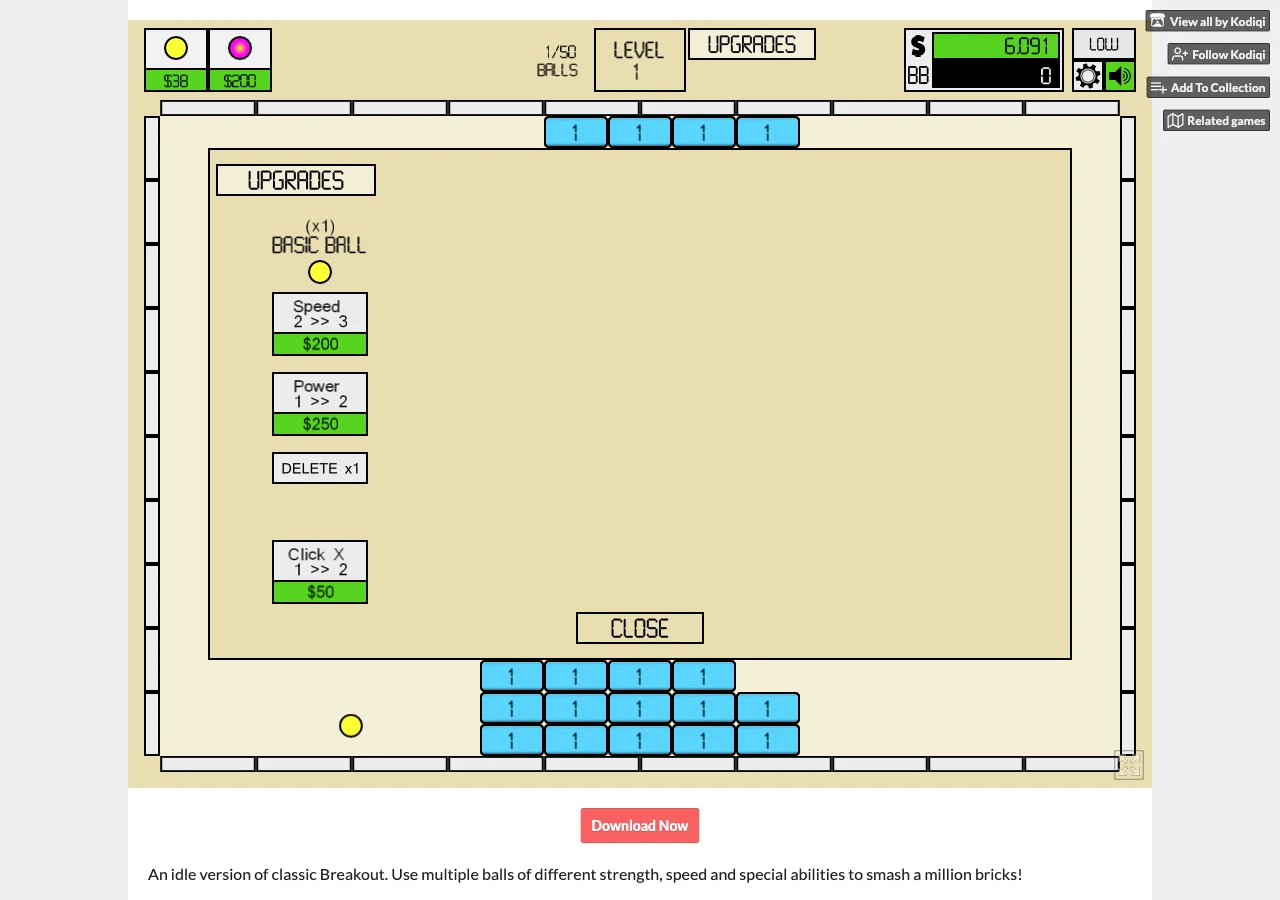
Speed changes travel speed; power describes damage, while another ball adds another moving hitter. A board full of 1-value bricks lets you see the basic hit loop before comparing higher-value targets. These observations do not establish an optimal order or a strategy for every later level. The creator also describes other balls with special abilities; unlock them as the game makes them available.
Where is progress saved?
The settings screen in version v1.091 warns that the save uses local browser storage and says to use Export to back up progress. It also contains Import and Wipe All Data controls. Keep a backup before considering an import. Cross-device compatibility and offline earnings were not tested.
For the difference between manual input, growing output and automatic progress, see our idle, incremental and tycoon guide. If you prefer games in this site’s own selection, browse the tycoon collection.
Version and sources
Play and screenshots: Kodiqi’s official itch.io browser entry, version v1.091 visible in settings, desktop Chromium, 5 October 2026. Kodiqi’s description identifies this as an idle version of classic Breakout, with balls of different strength, speed and abilities. Floor 2½ provides this independent guide and links to the creator; it does not host a copy of Idle Breakout.