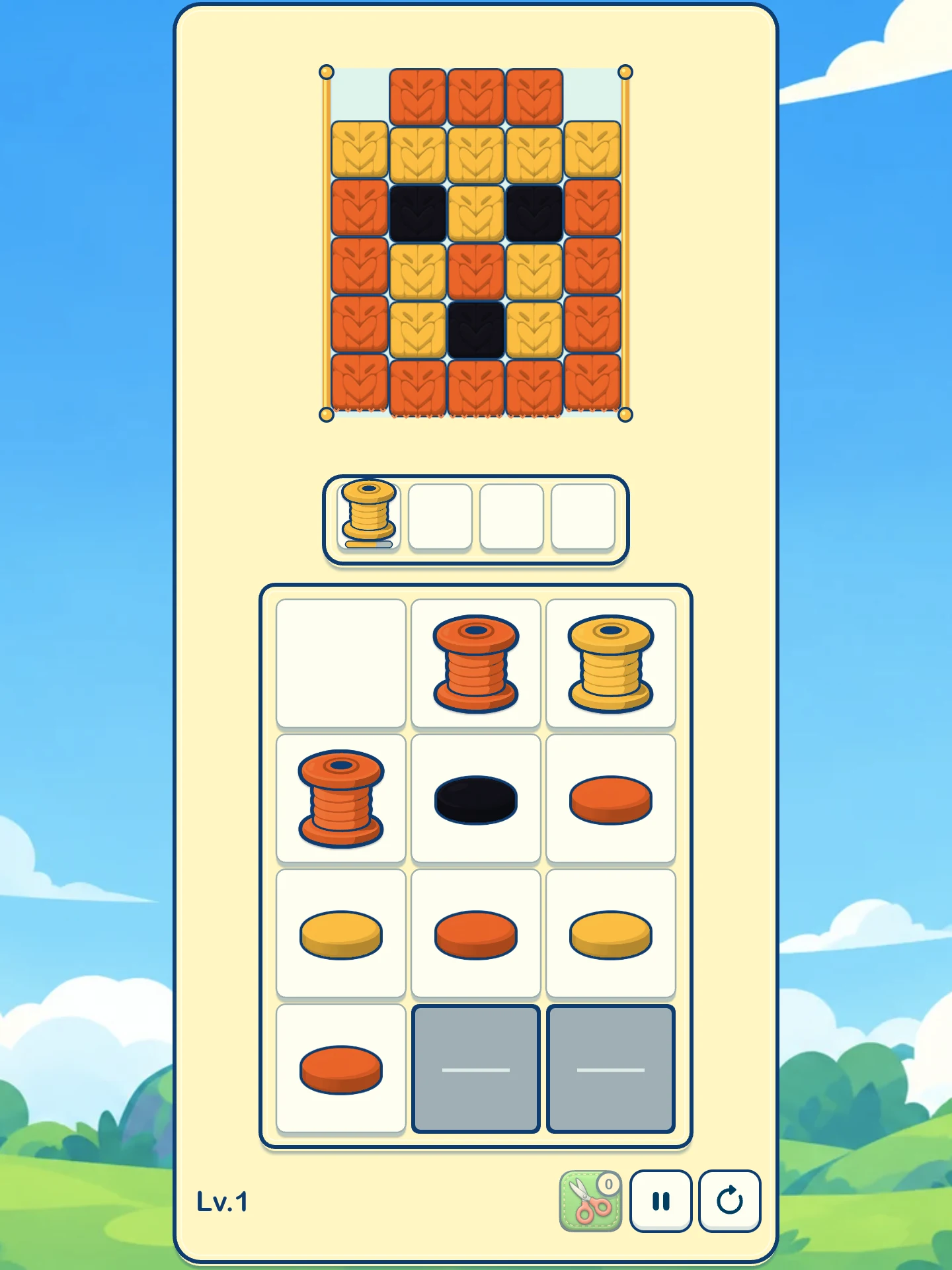
How to play
Three pieces fill a spool.
- Choose an unlocked spool to move it into an empty slot. Matching a colour at the bottom of the fabric lets it start collecting right away.
- The matching yarn moves into that spool. A spool leaves after collecting three pieces, freeing its slot.
- Keep enough slots open and clear all the yarn to complete the level.
A move can also reveal or unlock another spool. Later levels introduce their own mechanisms, with instructions inside the game when they first appear. A level ends when collection has stopped and there is no room or usable spool to continue. New mechanisms have their own rules, explained in-game.
Controls and progress
Tap or click to choose.
YarnAway works with touch or a mouse. Use the pause and restart buttons beside the game board. The pause screen also contains level selection, language, music and sound-effect settings.
When browser storage is available, the game saves progress and settings on that browser. Clearing site data, using private browsing or moving to a different browser or device can remove or separate that progress. YarnAway does not promise cloud or cross-device sync.
FAQ
Before you play
Do I need an account?
No. You can open and play YarnAway without creating an account.
Why can’t I choose a spool?
It may still be locked, hidden or held by a mechanism, or there may be too few empty slots. Choosing a spool also opens its adjacent neighbours. An unlocked spool can be selected even if its colour is not currently at the fabric edge; it will wait in a slot until matching yarn becomes available.
Why is there no sound?
Browsers may wait for a tap or click before allowing audio. Start the game, then check Music and Sound Effects in Settings.
What if the game does not load?
Check your connection and reload the page. If the problem continues, tell us the device, browser and steps that led to it at founder@floor2p5.com.
玩法说明
每个线轴收满 3 格毛线后离场。
- 选择已解锁的线轴放进空槽;如果颜色与织物底端露出的毛线相同,就能立即开始收线。
- 底端同色毛线会进入对应线轴;每轴收满 3 格后离场并腾出槽位。
- 合理保留空槽,清空全部织物即可过关。
有些选择会显露或解锁其他线轴。后续关卡出现新机制时,游戏内会给出说明。收线停止后,如果没有空槽或可用线轴继续操作,就会失败;新机制的具体规则会在游戏内说明。
操作与存档
触屏点按和鼠标点击都可以游玩。使用棋盘旁的暂停和重开按钮;暂停界面中还可以选择关卡、语言,并调整音乐和音效。
浏览器允许保存时,进度和设置会保存在当前浏览器。清除网站数据、使用无痕模式,或更换浏览器和设备,可能导致进度消失或彼此独立;目前不承诺云存档或跨设备同步。
常见问题
需要账号吗? 不需要,打开即可游玩。
为什么点不了某个线轴? 它可能尚未解锁、颜色仍隐藏、受到机关限制,或空槽不足。选走一个线轴会开放它上下左右相邻的格子。已解锁的线轴即使暂时没有同色毛线可收,也可以选入槽位,等待之后的匹配。
为什么没有声音? 浏览器可能要等第一次点按后才允许播放声音。开始游戏后,可到设置中检查音乐和音效。
加载失败怎么办? 检查网络并刷新;仍有问题时,请把设备、浏览器和复现步骤发送到 founder@floor2p5.com。